Download

There’s no build yet

The recorder works. What’s left is the boring part — packing it up and signing it so Windows doesn’t shout at you. When that’s done, the button turns up right here.

Requirements

Will it run on your PC?

Probably. It isn’t fussy, and it’d rather lean on your CPU than refuse to start. Here’s the short version.

None of this caps what you record — that’s your hardware’s call. The numbers on the pricing page are for clips you share.

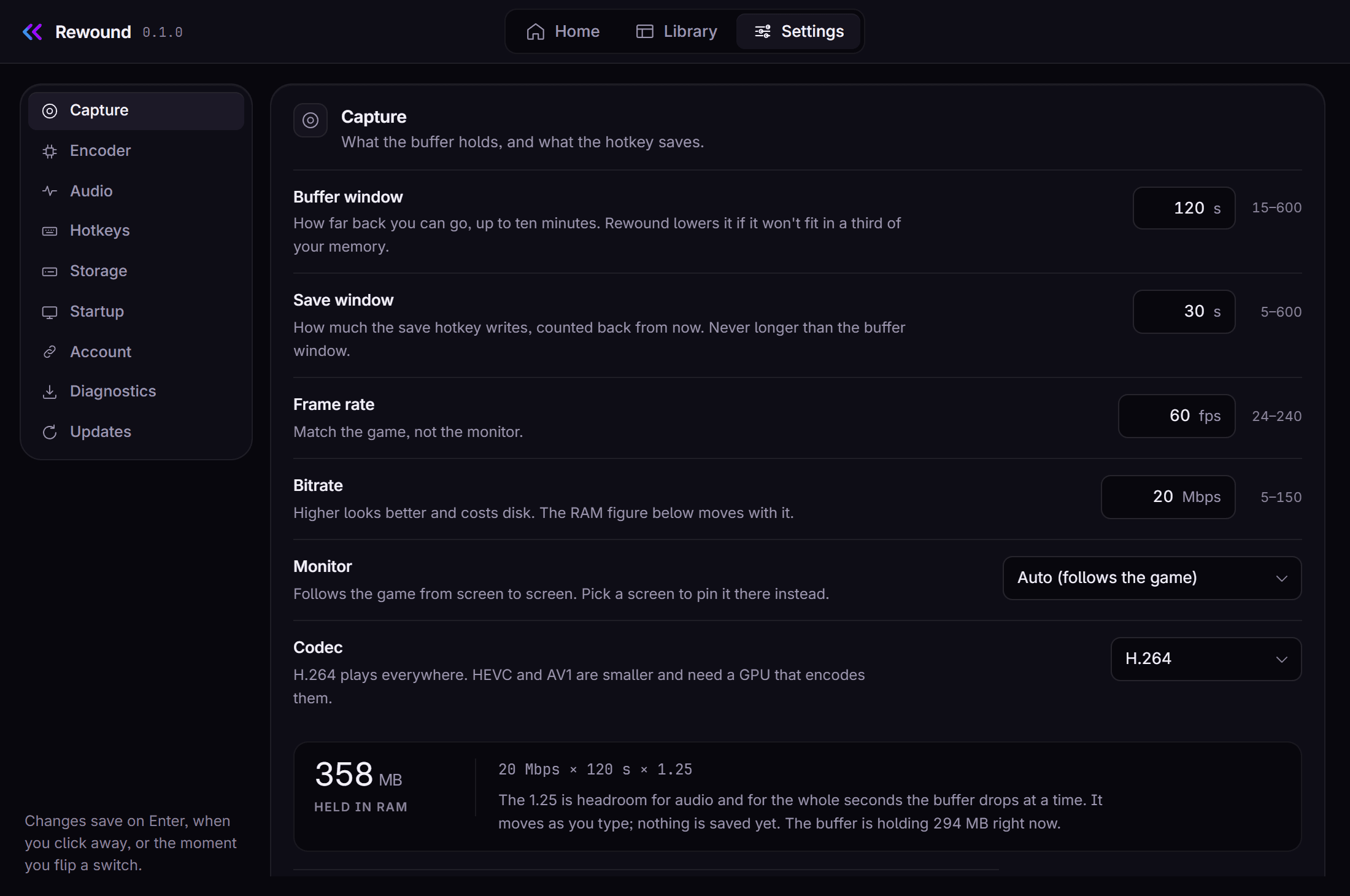
Rewound's settings: how far back the replay goes, and how much the hotkey saves

Windows

Windows 10 or 11, 64-bit

Version
On Windows 10, version 1903 or newer.
Graphics
Anything with a hardware encoder — NVIDIA GTX 900 or newer, AMD RX 400 or newer, Intel 6th-gen or newer. Older than that and it still records, just on your CPU.
Memory
The replay sits in RAM. About 360 MB at the settings it ships with, and never more than a third of what you have.
Hotkeys
Nothing to set up. Pick a key, it works.
Window
Windows 11 already has what it needs. On 10 the installer adds it, and if that doesn’t work the app’s screens open in your own browser instead.

Linux

Wayland or X11

Desktop
GNOME, KDE or wlroots, with xdg-desktop-portal installed. Nearly every distro ships it.
Graphics
AMD and Intel use the GPU. NVIDIA cards record on the CPU for now — that half isn’t wired up on Linux yet.
Memory
Same as Windows: a third of your RAM at the absolute most.
Hotkeys
Usually automatic. On a desktop that won’t allow it you bind rewound clip to a key yourself, and the settings screen tells you which way it managed it.
Window
The app’s screens open in your own browser. You lose the tray icon and save a much bigger download.

macOS

Not yet

One person builds this, and a Mac is a whole third version to keep working. Better to say so than leave a coming-soon badge sitting there for a year.

Status

Where it stands

  • Windows records, encodes and saves. Real clips, real hardware, 1440p60 with sound.
  • The Linux AppImage builds and runs — 45 MB, one file, finds its own FFmpeg with nothing set up around it.
  • The Windows package and the Steam Deck build are written and have never once been run.
  • Nothing is signed and nothing is tagged. That’s the whole reason this page has no button on it.

When it lands: a zip on Windows, an AppImage on Linux, a Flatpak for the Steam Deck. FFmpeg comes with it. It won’t be signed at first, so expect Windows to call it an unknown publisher, and it won’t update itself — that’s a button you press. Rewound is proprietary and uses FFmpeg under the LGPL.

Want to know when it’s out?

Make an account and tick the box for email. That’s the list that gets told — there isn’t a separate one.

The box is off by default, and every email carries an unsubscribe link.